Top PDF Editing Tools for Legal and Compliance Documents in 2026
In 2026, legal and compliance teams operate in a highly regulated environment where document accuracy, security, and traceability are essential. From contracts and financial disclosures to identity verification records and audit reports, PDF files remain the standard format for storing and sharing sensitive information. However, basic editing tools are no longer sufficient. Organizations now require advanced PDF editors that support compliance, protect data, and streamline workflows.
Modern PDF editing tools have evolved into comprehensive platforms that combine encryption, audit trails, digital signatures, and AI-driven automation. Choosing the right tool can significantly impact how effectively a business manages legal documentation and meets regulatory requirements.
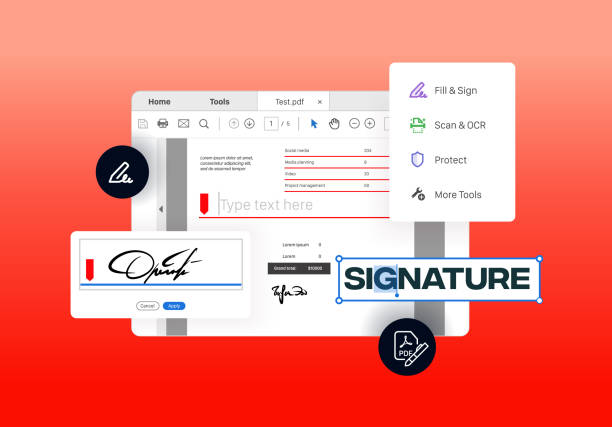
Why Legal and Compliance Teams Need Advanced PDF Tools
Legal documents often include confidential data such as personal identification details, financial records, and contractual agreements. Any unauthorized access or modification can result in legal penalties and reputational damage. As global regulations such as GDPR and AML compliance standards become stricter, businesses must ensure their document handling processes are secure and transparent.
PDF editing tools designed for compliance workflows provide features like secure redaction, version control, and activity tracking. These capabilities help organizations maintain document integrity while ensuring accountability during audits and regulatory reviews.
Top PDF Editing Tools for Legal and Compliance in 2026
Below are some of the most reliable PDF editing tools that meet the demands of legal and compliance professionals.
1. Adobe Acrobat Pro
Adobe Acrobat Pro continues to lead the market as a comprehensive solution for legal documentation. It offers advanced OCR, secure redaction, document comparison, and legally binding digital signatures.
Its robust compliance capabilities make it ideal for enterprises that require high levels of security and accuracy. The platform also supports audit trails and integrates seamlessly with enterprise systems, ensuring smooth document workflows.
2. PDF Editify
PDF Editify is an emerging and user-friendly solution that is gaining popularity among professionals handling legal and compliance documents. It offers essential features such as editing, filling, e-signing, protecting, merging, and redacting PDFs within a secure environment.
One of its key advantages is accessibility. As a cloud-based platform, it allows users to manage documents anytime and anywhere without complex installations. It also includes OCR capabilities for converting scanned documents into editable formats, which is particularly useful for legal records.
3. Foxit PDF Editor
Foxit PDF Editor is widely recognized for its balance between performance and affordability. It offers advanced editing, OCR, secure redaction, and e-signature capabilities, making it suitable for compliance-heavy industries.
The tool also supports multi-platform usage and integrates well with business systems, enabling teams to manage documents efficiently across different environments.
4. Nitro PDF Pro
Nitro PDF Pro is known for its strong collaboration features and intuitive interface. It allows teams to edit, convert, and sign documents while maintaining workflow efficiency.
This tool is particularly useful for organizations dealing with high volumes of compliance documents, as it supports batch processing and document automation.
5. PDF Filler
pdfFiller is a cloud-based solution that focuses on flexibility and collaboration. It allows users to edit, sign, and share documents directly from a browser.
With built-in document management features and cloud storage, PDFFiller is ideal for distributed teams that require real-time access to compliance documents.
6. EaseUS PDF Editor
EaseUS PDF Editor is a cost-effective option that offers strong OCR capabilities and an easy-to-use interface. It is particularly useful for handling scanned legal documents and converting them into editable text.
This tool is best suited for small businesses or teams that need reliable functionality without investing in expensive enterprise solutions.
Key Features That Make These Tools Suitable for Compliance
The effectiveness of a PDF editor in legal workflows depends on several essential features. Security is the top priority, with tools offering encryption, password protection, and permission-based access controls. These features ensure that sensitive documents are only accessible to authorized individuals.
Digital signature functionality is another critical component. Legally binding e-signatures enable organizations to streamline contract approvals while maintaining compliance with international standards.
Audit trails and version control provide transparency by tracking all document activities. This is particularly important during compliance audits, where organizations must demonstrate accountability.
OCR technology enhances efficiency by converting scanned documents into searchable and editable formats. Additionally, AI-powered features such as automated redaction and document classification help reduce manual effort and improve accuracy.
Cloud-Based Collaboration and Efficiency
Cloud-based PDF editors have become essential in 2026, especially for organizations with remote or global teams. These tools allow users to access and edit documents from anywhere while maintaining centralized control.
Role-based access ensures that sensitive information is only available to authorized users. Cloud integration also enables seamless workflows with other compliance and document management systems, improving overall productivity.
Conclusion
PDF editing tools in 2026 are no longer limited to basic document modification. They have evolved into powerful platforms that support legal and compliance operations through advanced security, automation, and collaboration features.
From industry leaders like Adobe Acrobat Pro to emerging solutions like PDF Editify, organizations now have a wide range of options to choose from. By selecting the right tool, businesses can ensure document integrity, meet regulatory requirements, and improve operational efficiency.
As compliance demands continue to grow, investing in a secure and reliable PDF editing solution is not just beneficial, it is essential for long-term success.