

10 Salesforce Admin Best Practices for a Cleaner, More Scalable Org
A well-structured Salesforce environment can help businesses achieve trustworthy data, optimize processes, and encourage growth in the long run. Nevertheless, as businesses onboard new users, applications, and custom features, Salesforce environments tend to become more complicated. As a result, duplication of records, stale automations, unnecessary grants, and unpredictable settings can affect the efficiency of the organization. Therefore, following Salesforce Admin Best Practices can help minimize the technical debt, improve safety, and create CRM environments that are manageable.
Why Salesforce Org Maintenance Matters
If maintenance is neglected, Salesforce organizations can become cluttered with unneeded settings, inconsistent data, and redundant automation. These problems increase the amount of work needed in administration, complicate reporting, and create difficulties for making subsequent modifications to the system.
A proper maintenance plan allows businesses to accomplish the following objectives:
- Better data reliability: Accurate information allows to prepare reports and make decisions concerning businesses.
- Better operational efficiency: Streamlined operational process helps to minimize manual work and conflicts regarding settings.
- Better security: Ensured access helps to secure sensitive business data.
- Better scalability: Careful maintenance of the settings helps to accommodate new users, integrations, and processes.
To maintain the above benefits, regular administrative work has to be conducted.
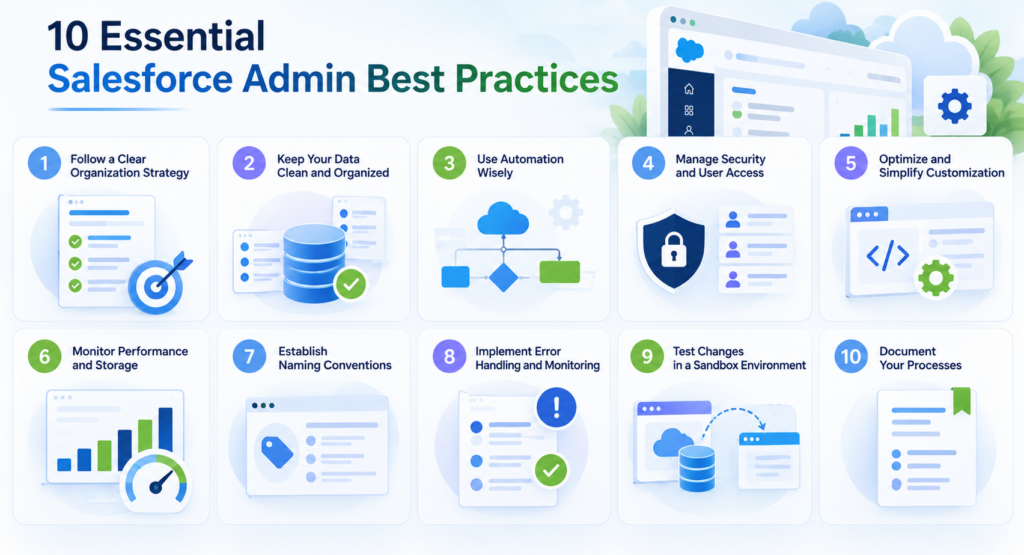
10 Essential Salesforce Admin Best Practices
Salesforce administration effectively incorporates technical maintenance, data governance, security management, and continuous optimization. Each capsule adds to a more robust CRM system, reducing frustration as growth occurs within the organization.
The ten practices listed help administrators maintain existing Salesforce configuration, avert common operational hurdles, and set the stage for future growth in their environments.
1. Regularly Audit Salesforce Org
Regular audits can discover redundant features, outdated tools, and any possible performance problems before they become serious issues.
Admins are responsible for reviewing custom objects, fields, validation rules, integrations, and all automated routines. Work with the Salesforce Optimizer to ease processes.
Main activities to carry out during an audit include:
- Find all unused fields and redundant actions.
- Check obsolescent integration and apps available.
- Test dependencies before removing items.
Quarterly audits keep technical debt in check and keep the Salesforce environment sustainable.
2. Adhere to Constant Data Quality Standards
Factual data guarantees trustworthy reporting, easy automation, and reasonable choices. Repeated records, flawed texts, and various formats make one’s CRM ineffective.
The administrator must set validation rules, make fields uniform, and set duplicates management programs. The process of constant data cleansing and distinct responsibilities assigned make consistency better.
These actions become vital at such moments when firms begin to use sophisticated analytics or Artificial Intelligence that relies on accurate data.
3. Simplify User Permissions and Access Management
Complex permission structures lead to greater security risks and unnecessary maintenance workload.
The scalable solution consists of having Baseline user profiles and providing users with additional access through permission sets and permission set groups.
The principle of least privilege means that administrators allow users access only to the permission required for the completion of their job duties.
Continuous access audits should be done when employee changes positions or exits the organization.
4. Optimizing Salesforce Flow Automation
While automation enhances operational capacity, poorly designed workflows can litter mistakes, slow processing, and create maintenance problems.
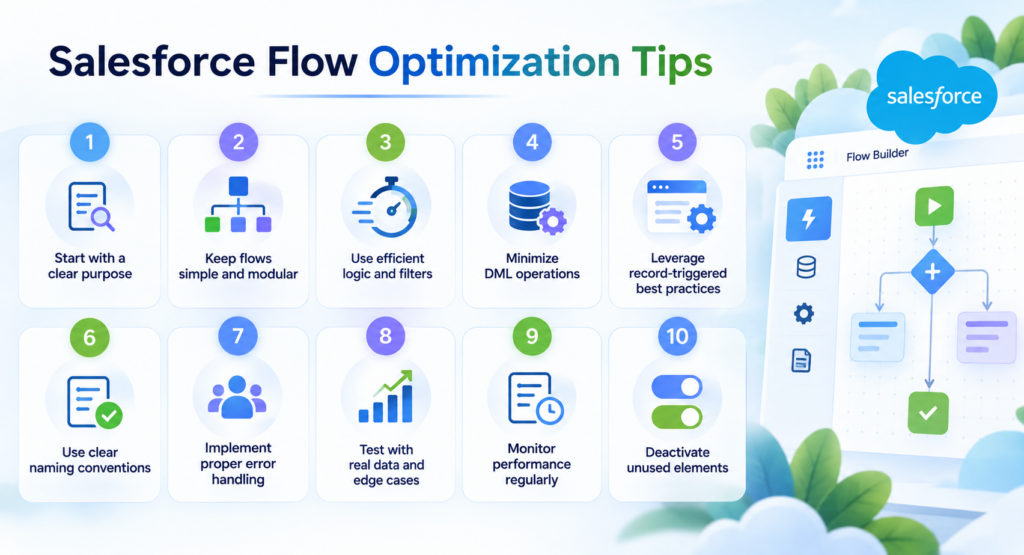
Salesforce Flow Optimization Hint:
A structured automation strategy is an essential part of Salesforce admin best practices, helping administrators reduce complexity and improve workflow reliability. To optimize Salesforce Flow, consider the following recommendations:
- Combine duplicate automation wherever possible.
- Do not carry out unnecessary database operations in loops.
- Ensure to have fault handling in place and error reporting.
- Test major changes in a testing environment.
It`s also best to use common naming patterns and write down the logic behind the business processes, so that the flows stay operable.
 5. Have Consistent Naming Policies
Consistency in naming conventions creates clear visibility of Salesforce configurations and allows for better collaboration between the developers and administrators.
All custom fields, objects, reports, flows, and permission sets must follow an organization-wide naming convention.
For instance, Opportunity_Update_Account_Status describes better what the flow does as compared to New_Flow_2.
Having documented naming conventions saves time during training and helps avoid redundancy in functionalities.
6. Reducing Unnecessary Customizations
Excessive customization is one of the leading causes of technical debt in growing Salesforce environments. Before creating custom objects, fields, or complex automation, administrators should evaluate whether existing Salesforce functionality can meet their business needs.
While standard Salesforce features are generally easier to maintain, custom solutions provide greater flexibility when specific business requirements demand additional functionality. Organizations managing complex workflows and integrations can benefit from partnering with an experienced software development provider. Cleveroad, an ISO 9001- and ISO 27001-certified software development company, specializes in building custom enterprise solutions, modernizing existing systems, and developing API integrations. Its expertise in scalable architecture and business process automation can help organizations integrate Salesforce with other business applications, streamline data exchange, and adapt their systems to evolving operational needs.
7. Adopt Structured Change Management
Unmanaged changes can harm work processes, lead to unforeseen dependencies, and impact business operations.
Businesses should have standardized processes for requesting, reviewing, testing, and implementing Salesforce changes.
An ideal process should have three phases:
- Request and Evaluate: Record the requirements and check the dependencies.
- Develop and Test: Implement the changes in a sandbox and check that they work.
- Implement and Monitor: Deliver changes that have received approval and monitor production features and activities.
8. Watch System Performance and Usage
For a scalable Salesforce organization, it is important to have regular sight on system activities and user activities.
The administrators should keep track of storage use, integration errors, automation failures, the connection activity via API, and relevant restrictions of the platform.
Equally important are the metrics of how many users adopted the system. Bad user adoption rates may indicate that the software is complicated or that there were not enough training sessions for the personnel.
Constant monitoring of the status helps the administrators fix problems with inefficiency before they become actual problems.
9. Enhance Compliance and Security Measures
Security must be taken care of on an ongoing basis. Its users, connected applications, and business needs are always changing. Administrators need to monitor settings to provide adequate protection against unauthorized access.
Statutory measures of Salesforce protection analyzed in the earlier sections are:
- Need for multifactor authentication implementation in cases required.
- Achievement of proper allocations of rights and record-sharing schemes.
- Usage of Salesforce Health Check for determining security configurations needed.
- Using data in accordance with privacy regulations.
10. Craft a Continuous Improvement Strategy
The management of Salesforce needs to grow with the changing business processes, organizational frameworks, and technical needs.
Instead of dealing only with current issues, administrators must manage improvements by prioritizing them according to their impact on the business and the technical complexities.
Cooperation with sales, marketing, customer service and IT teams will help to spot ineffective processes in place and developments needed.
Moreover, administrators should monitor Salesforce software updates and analyze what it can offer before using it.
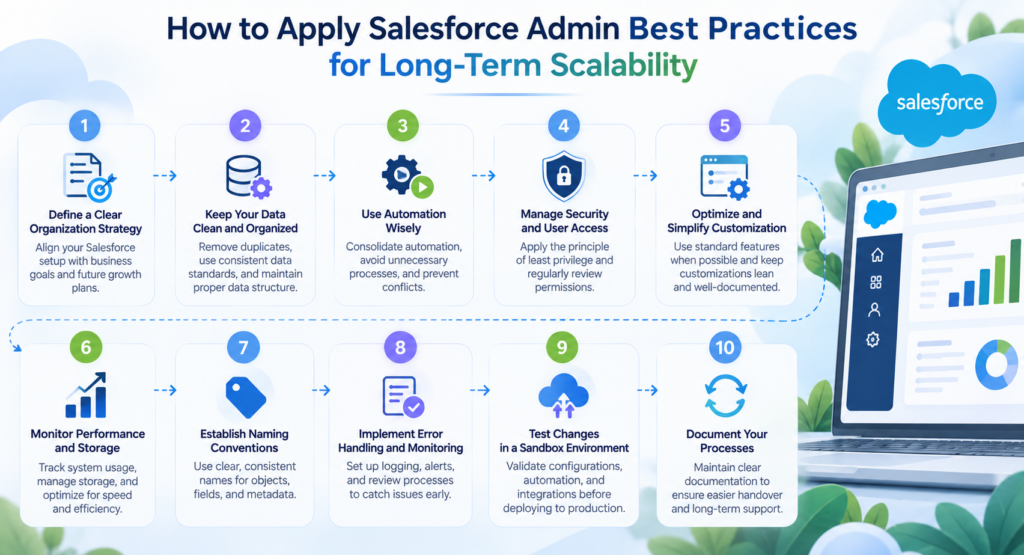
How to Apply Salesforce Admin Best Practices for Long-Term Scalability
Applying Salesforce administration best practices is just the beginning as sustained scalability depends on effective governance, effective monitoring of system health and technologies while at the same time ensuring configurations are realigned as per the changing demands of the organization.
A well-structured maintenance plan can help admins perform these functions without incurring technical debt.
Establish a Recurring Maintenance Schedule
Different administrative activities require separate review frequencies:
- Every month, check the quality of data, automation failures, and updates to users’ access.
- Every 3 months, review configurations, integrations (if applicable), components not used in the operation cycle, and how users use interfaces.
- Before major releases, validate most critical processes, dependencies, and planned changes.
Ensure That Salesforce Enhancements Align With Organizational Objectives
The technical enhancements need to provide measurable business value. Administrators will be able to prioritize enhancements by determining which aids in reducing manual workload, improving data accuracy, boosting security, and facilitating business growth.
Constant interaction with the users of Salesforce guarantees that the optimization process meets the real needs, rather than adding useless features.
Final Observations on Salesforce Admin Best Practices
Effective building of cleaner and more scalable Salesforce organization needs consistent data governance, smart automation, balanced customization, proactive security management, and organized change management processes.
By using these ten Salesforce Admin best practices, organizations can minimize technical debt, increase system reliability and build an effective CRM system that will support their development.
Best Salesforce environments are not always the most customized ones; they are the ones built to be secure, comprehensible, efficient, and flexible according to changing organizational needs.
